Web/React
React 실습3 - 댓글 컴포넌트 만들기
괘창
2024. 6. 26. 17:28

- chapter_05 폴더 생성
- Comment.jsx 파일 생성
import React from "react"; function Comment(props) { return ( <div> <h1>제가 만든 첫 컴포넌트입니다.</h1> </div> ); } export default Comment; - Comment-list.jsx 파일 생성
import React from "react"; import Comment from "./Comment"; function CommentList(props) { return ( <div> <Comment /> </div> ); } export default CommentList; - 실제 화면에 랜더링하기 위해 index.js 파일 수정
import React from 'react';
import ReactDOM from 'react-dom/client';
import './index.css';
// import App from './App';
import reportWebVitals from './reportWebVitals';
// import Clock from './chapter04/clock';
import CommentList from './chapter_05/Comment-list';

  const root = ReactDOM.createRoot(document.getElementById('root'));
  root.render(
    <React.StrictMode>
      <CommentList />
    </React.StrictMode>
  );

// If you want to start measuring performance in your app, pass a function
// to log results (for example: reportWebVitals(console.log))
// or send to an analytics endpoint. Learn more: https://bit.ly/CRA-vitals
reportWebVitals();
결과 출력)

- Comment 컴포넌트에 스타일 입히기
- css 스타일 작성을 위해 Comment.jsx 수정
import React from "react";

const styles = {
    wrapper: {
        margin: 8,
        padding: 8,
        dispaly: "flex",
        flexDirection: "row",
        border: "1px solid grey",
        borderRadius: 16,
    },
    imageContainer: {},
    image: {
        width: 50,
        height: 50,
        borderRadius: 25,
    },
    contentContainer: {
        marginLeft: 8,
        display: "flex",
        flexDirection: "column",
        justifyContent: "center",
    },
    nameText: {
        color: "black",
        fontSize: 16,
        fontWeight: "bold",
    },
    commentText: {
        color: "black",
        fontSize: 16,
    },
};

function Comment(props) {
    return (
        <div style={styles.wrapper}>
            <div style={styles.imageContainer}>
                <img
                    src="https://upload.wikimedia.org/wikipedia/commons/8/89/Portrait_Placeholder.png"
                    alt="기본 이미지"
                    style={styles.image}
                />
            </div>

            <div style={styles.contentContainer}>
                <span style={styles.nameText}>루카스</span>
                <span style={styles.commentText}>
                    제가 만든 첫 컴포넌트입니다.
                </span>
            </div>
        </div>
    );
}

export default Comment;
결과 이미지)
- Comment 컴포넌트에 Props 추가하기
: 커멘트 컴포넌트에 표시되는 작성자 이름과 댓글 내용을 동적으로 변경할 수 있도록 props 추가
- Comment,jsx 수정
import React from "react";

const styles = {
    wrapper: {
        margin: 8,
        padding: 8,
        dispaly: "flex",
        flexDirection: "row",
        border: "1px solid grey",
        borderRadius: 16,
    },
    imageContainer: {},
    image: {
        width: 50,
        height: 50,
        borderRadius: 25,
    },
    contentContainer: {
        marginLeft: 8,
        display: "flex",
        flexDirection: "column",
        justifyContent: "center",
    },
    nameText: {
        color: "black",
        fontSize: 16,
        fontWeight: "bold",
    },
    commentText: {
        color: "black",
        fontSize: 16,
    },
};

function Comment(props) {
    return (
        <div style={styles.wrapper}>
            <div style={styles.imageContainer}>
                <img
                    src="https://upload.wikimedia.org/wikipedia/commons/8/89/Portrait_Placeholder.png"
                    alt="기본 이미지"
                    style={styles.image}
                />
            </div>

            <div style={styles.contentContainer}>
                <span style={styles.nameText}>{props.name}</span> //수정
                <span style={styles.commentText}>{props.comment}</span> //수정
            </div>
        </div>
    );
}

export default Comment;
결과 이미지)
- Comment-list.jsx 수정
import React from "react";
import Comment from "./Comment";

function CommentList(props) {
    return (
        <div>
            <Comment name={"루카스"} comment={"안녕하세요, 루카스입니다."} /> //수정
        </div>
    );
}

export default CommentList;
결과 이미지)
# 수정 후 커멘트 컴포넌트의 프랍스로 입력한 네임 및 커멘트 값이 전달되어 내용이 표시된다. - Comment-list.jsx 댓글 내용 추가
import React from "react";
import Comment from "./Comment";

function CommentList(props) {
    return (
        <div>
            <Comment name={"루카스"} comment={"안녕하세요, 루카스입니다."} />
            <Comment name={"리액트"} comment={"열심히 공부하세요~!"} /> //추가
        </div>
    );
}

export default CommentList;
결과 이미지)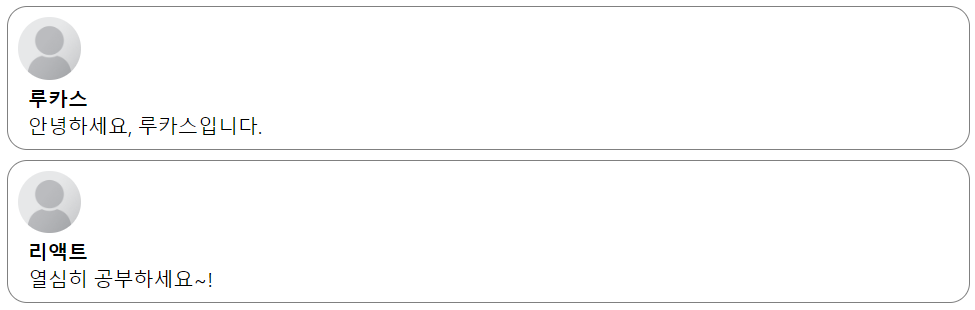
- Comment 데이터를 별도의 갹체로 분리하기
- Comment-list.jsx 수정
# JavaScript 배열의 map 함수를 써서 각 댓글 객체에 대해 comment 컴포넌트를 return 하도록 코드를 작성헀다.import React from "react"; import Comment from "./Comment"; const comments = [ { name: "루카스", comment: "안녕하세요, 루카스입니다.", }, { name: "리엑트", comment: "열심히 공부하세요~!", }, { name: "강민경", comment: "저도 리액트 배워보고 싶어요!!", }, ]; function CommentList(props) { return ( <div> {comments.map((comment) => { return ( <Comment name={comment.name} comment={comment.comment} /> ) })} </div> ); } export default CommentList;
결과 이미지)