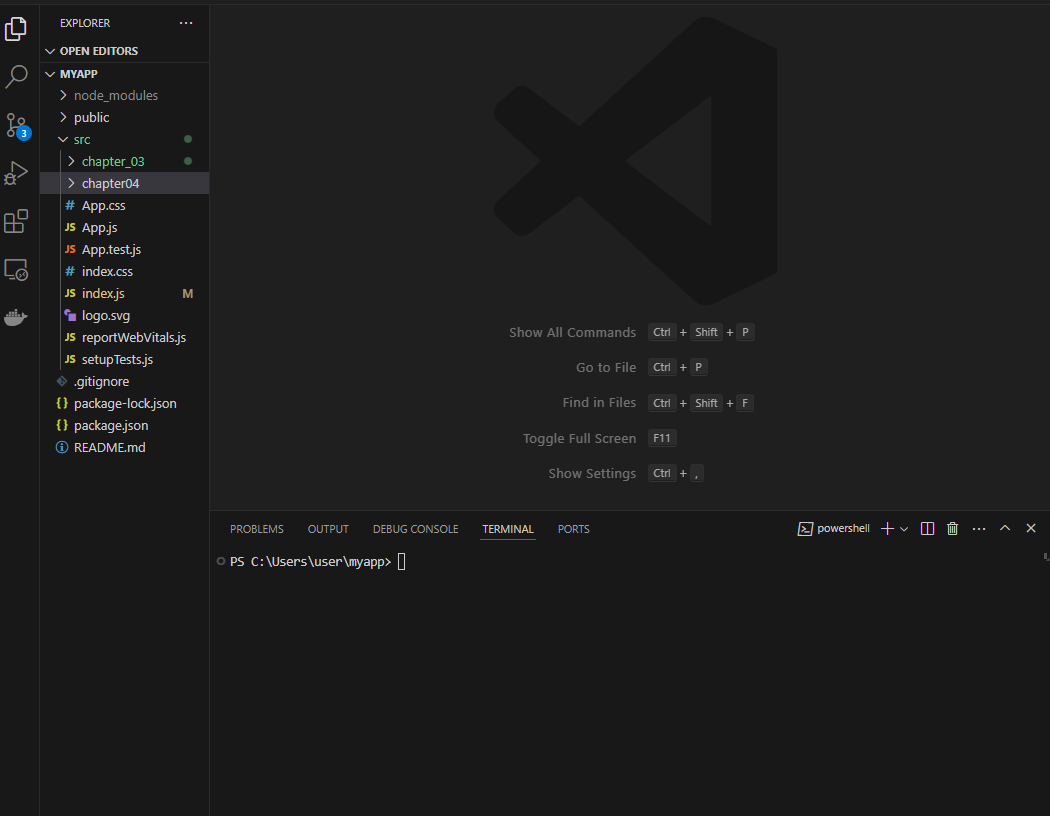
- chapter04 폴더 생성
- clock.jsx 파일 생성
import React from "react"; function Clock(props) { return ( <div> <h1>안녕, 리엑트!</h1> <h2>현재 시간 : {new Date().toLocaleTimeString()}</h2> </div> ) } export default Clock; - index.js 파일 수정
# setInterval 함수를 사용해서 1000ms 마다 새롭게 Clock 컴포넌트를 root.div에 랜더링하도록 만들었다.import React from 'react'; import ReactDOM from 'react-dom/client'; import './index.css'; // import App from './App'; import reportWebVitals from './reportWebVitals'; import Clock from './chapter04/clock'; setInterval(() => { const root = ReactDOM.createRoot(document.getElementById('root')); root.render( <React.StrictMode> <Clock /> </React.StrictMode> ); }, 1000); // If you want to start measuring performance in your app, pass a function // to log results (for example: reportWebVitals(console.log)) // or send to an analytics endpoint. Learn more: https://bit.ly/CRA-vitals reportWebVitals();
# 위 코드로 하면 매초 Clock 컴포넌트의 엘리먼트가 새롭게 생성된다.
- 결과 화면
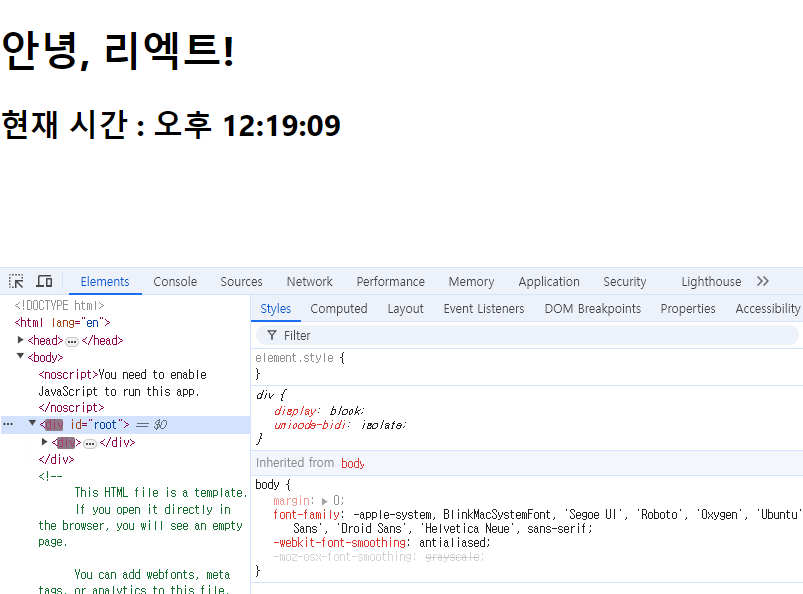
# 크롬 개발자 도구를 열어 엘리먼트 탭에서 루트 DIV를 살펴보면 매초 시간이 바뀌면서 변경된 부분이 깜빡인다.
# 강의처럼 h2 태그의 시간 확인이 불가하다.. 매 초마다 열어둔 태그가 닫힘..
'Web > React' 카테고리의 다른 글
| React Props의 특징 및 사용법 (0) | 2024.06.26 |
|---|---|
| React Components와 Props 정의 (0) | 2024.06.26 |
| React Elements의 특징 및 랜더링하기 (0) | 2024.06.26 |
| React Elements의 정의와 생김새 (0) | 2024.06.26 |
| React JSX 실습 (0) | 2024.06.25 |